

The rendering toolkit for LEGO models
A LEGO rendering studio in your browser. No Blender required.
Upload your BrickLink Studio file. Render stills 10× faster, animate it with 26 camera moves or watch it build itself, and lay out its instruction book automatically.
Loading…
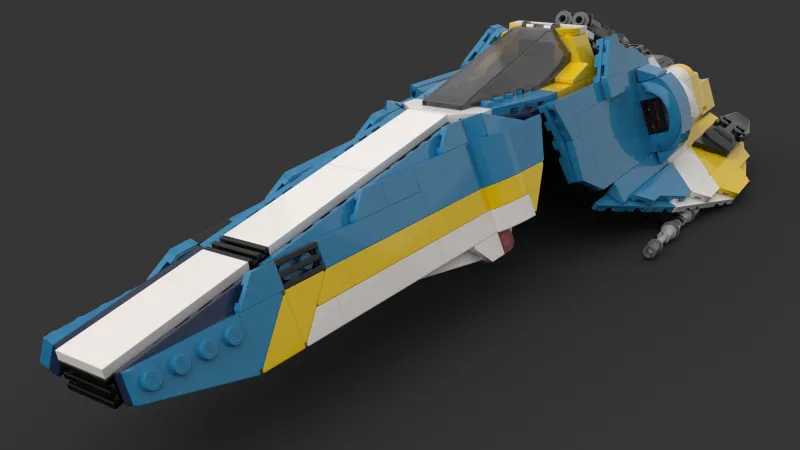


StillPNG1600×900 in under a minute, in six looks. Now: Photorealistic
- faster stills than an M1 MacBook Pro
- 10×faster stills than an M1 MacBook Pro
- camera moves, from orbits to flybys
- 26camera moves, from orbits to flybys
- looks, photoreal to patent drawing
- 6looks, photoreal to patent drawing
- per video, camera-flown or built brick by brick
- 90sper video, camera-flown or built brick by brick
01 Stills
Renders 10× faster.
In six looks.
A 1600×900 still that takes 8 minutes on an M1 MacBook Pro comes back in under a minute. Queue ten angles and they all render at once, while your computer stays free for building.
How stills workPhotorealistic
Instruction manual
Blueprint
Cel-shaded
Halftone
Patent drawing
02 Animations
Your model, in motion.
Fly the camera with 26 ready-made moves, or watch the model build itself: bricks fall into place one submodel at a time while the camera follows. Up to 90 seconds, and you never open Blender.
See the camera moves03 Instructions
Your instruction book, laid out for you.
Upload a file with steps and submodels. BrickRender lays out every page and picks the clearest view for each step. Then drag parts, views and page breaks until it is right, and export a PDF.
822 pieces · 326 steps · 164 pageslaid out automatically from one Studio file.
Tour the instructions maker04 SocialsComing soon
Show the build.
Without filming it.
Pick a template and BrickRender makes a ready-to-post video from your model. It builds itself brick by brick, runs through all six looks, or starts as a blueprint and turns photoreal. Your name goes on the end card. No screen recording, no video editor.
9:16 for Reels, TikTok and Shortsor 4:5, 1:1 and 16:9, from the same template.
Sign up free to hear when it opens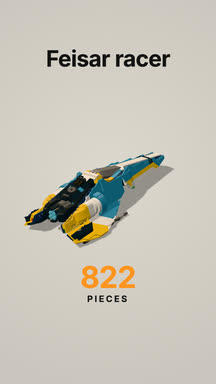
Build Timelapse
20s
Look Swap
17s
Blueprint to Brick
25s
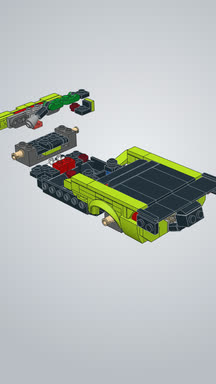
Instructions reel
24s
From Studio file to finished work in four steps.
- 01
Upload your .io
Drag a Studio file into the browser. LDraw .ldr and .mpd work too.
- 02
Pick what to make
Stills, a camera animation, a build animation or an instruction book. Or all four.
- 03
Adjust it in the browser
Frame shots and set cameras for renders, or drag things around on the instruction pages.
- 04
Download
PNGs, MP4s or a PDF. Close the tab while it works; it keeps going.
Your whole rendering toolkit, in the browser.
Stills, animations and instruction books from one Studio file. Free during the beta, and no Blender experience needed.
Loading…